


-
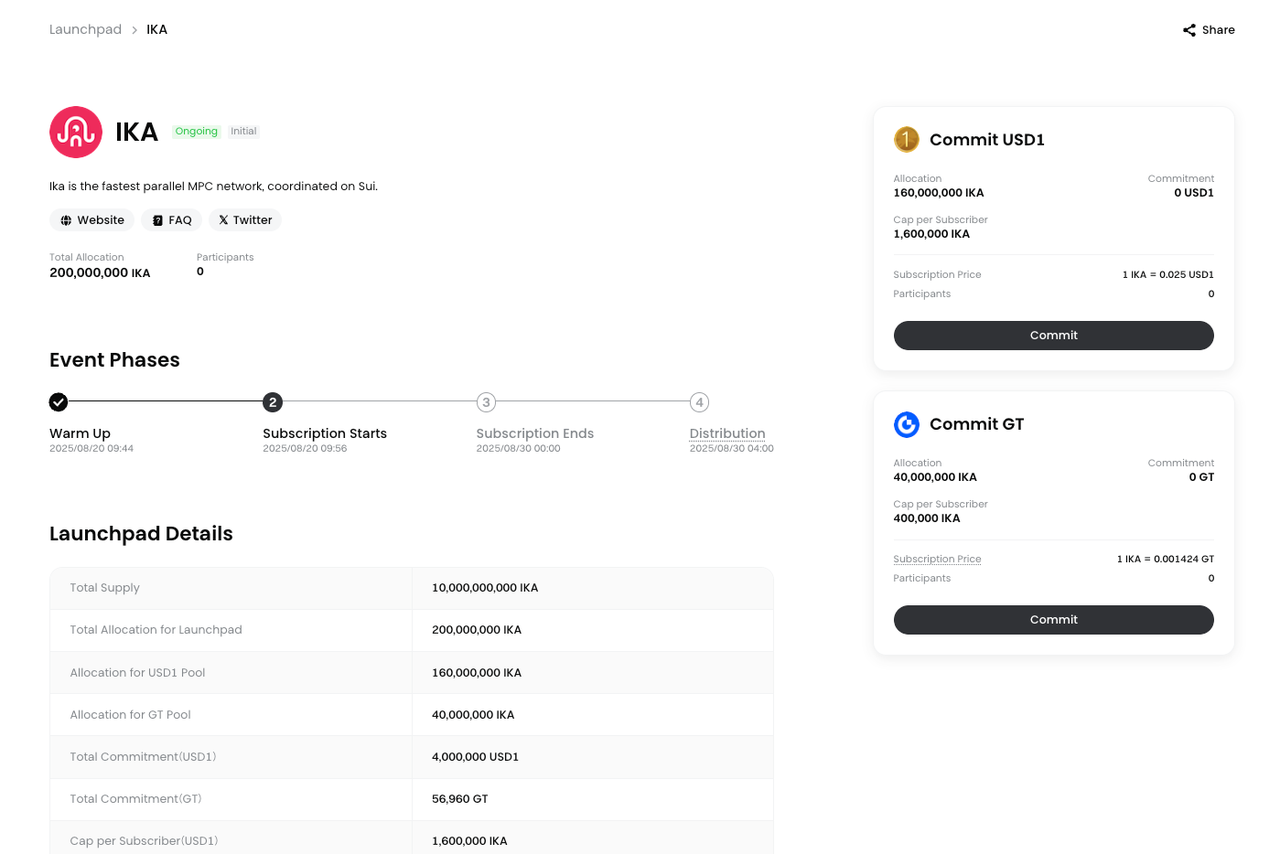
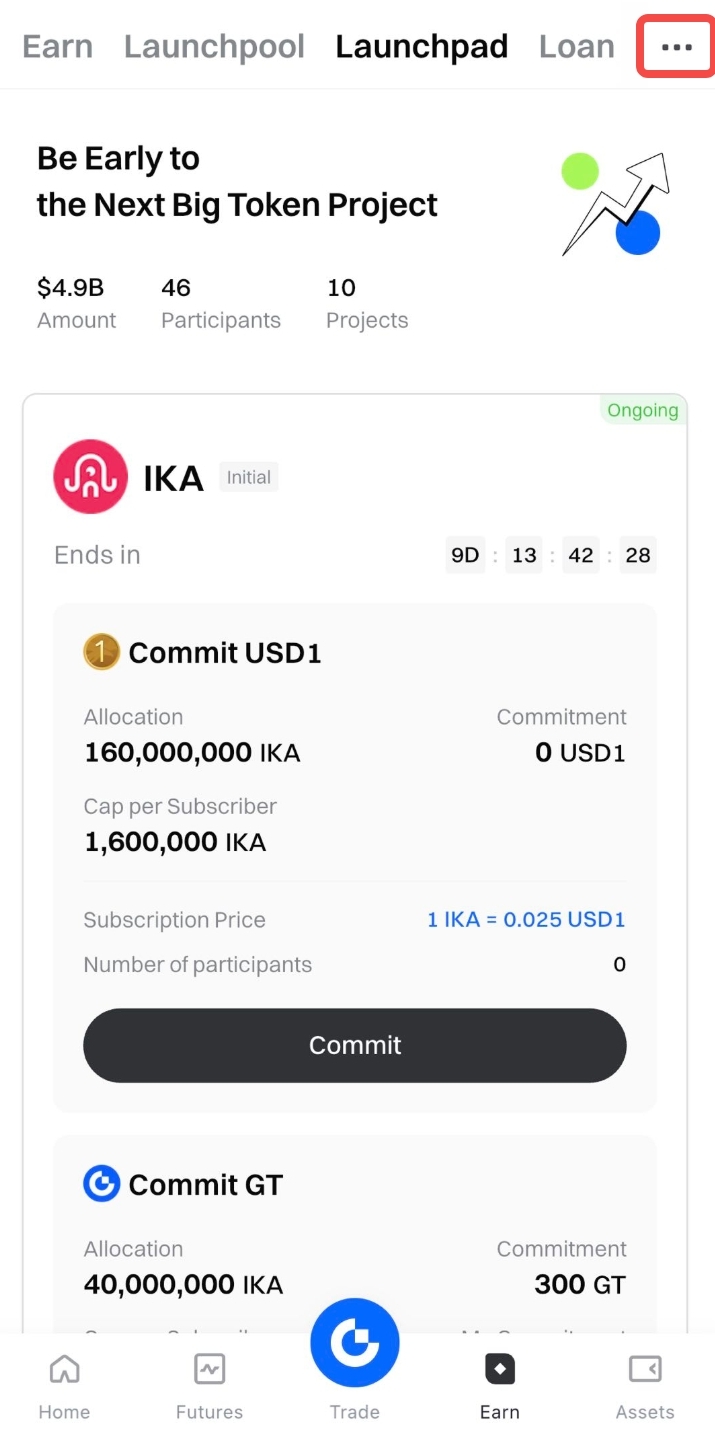
Log in to Gate and visit the [Launchpad] page
• App: Tap [Earn] - [Launchpad]
• Web: Go to [Earn] - [Launchpad] -
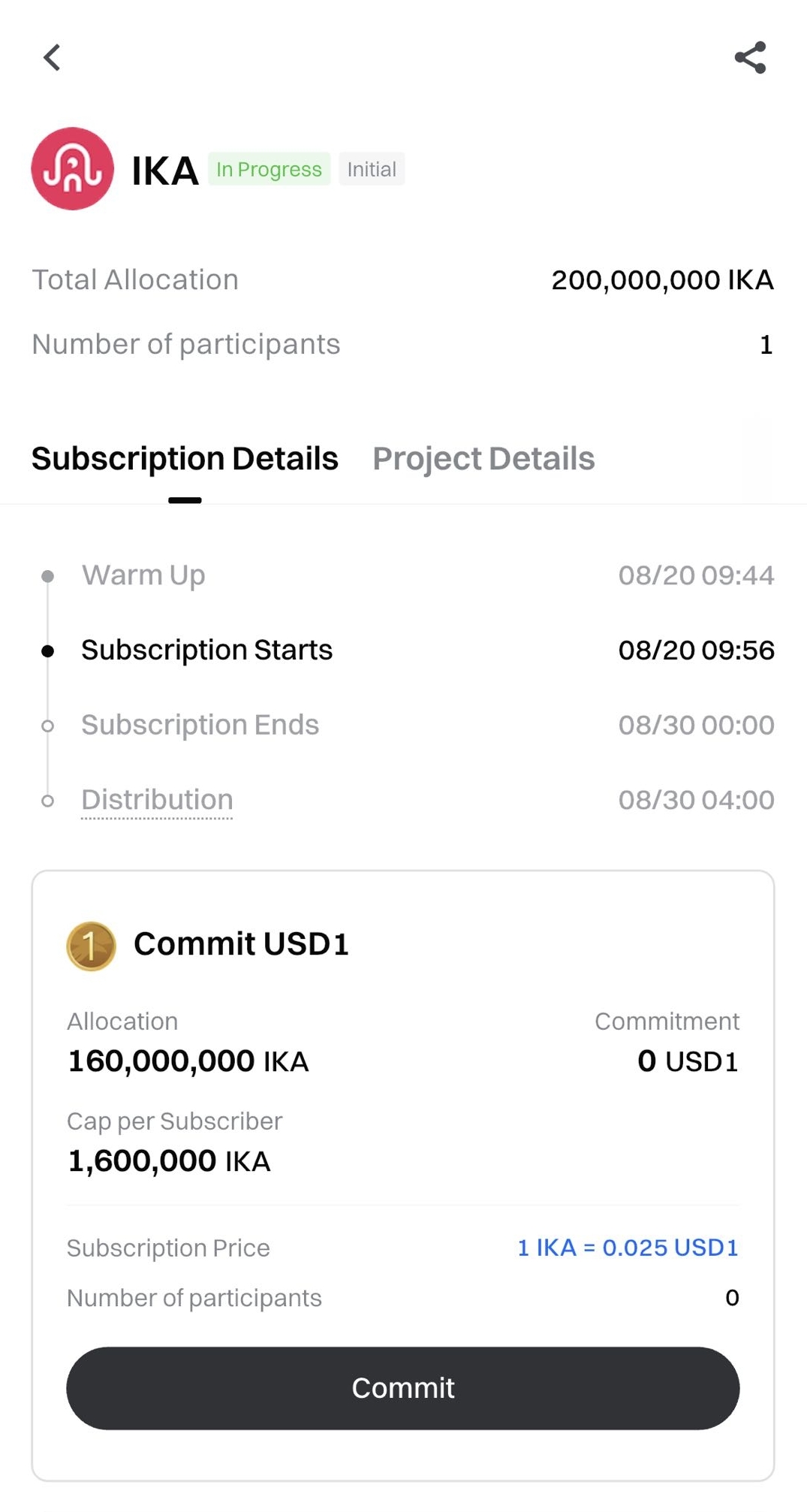
Choose the project you’re interested in and click [Commit]
-
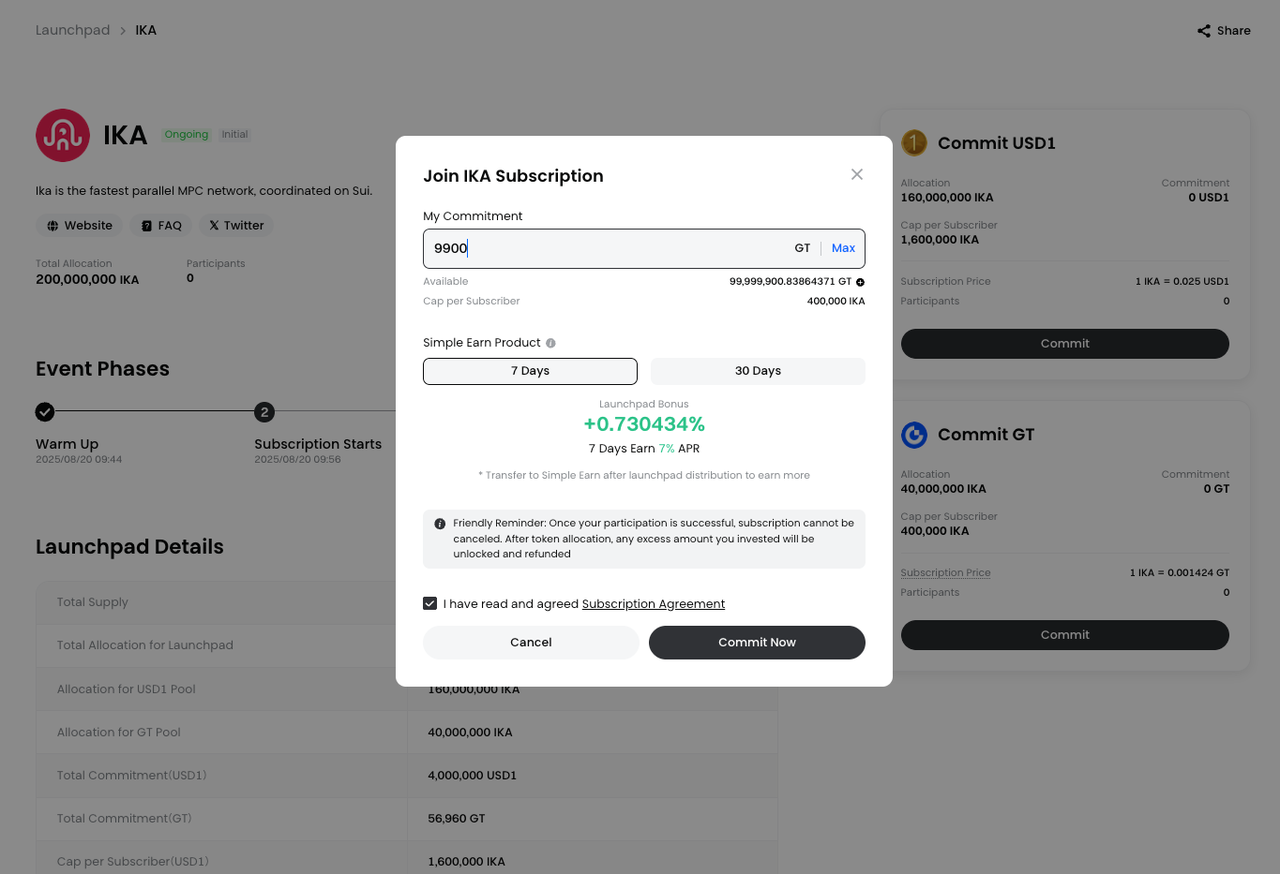
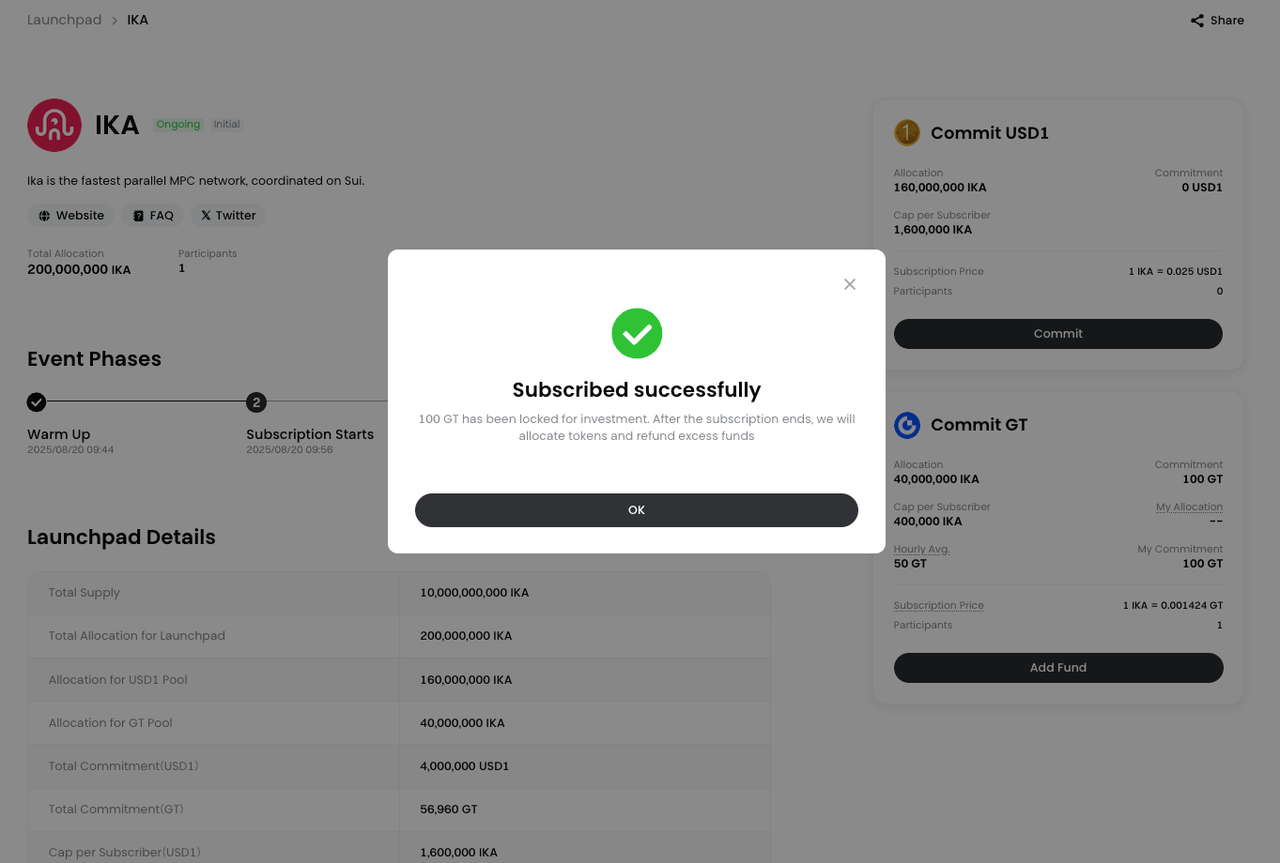
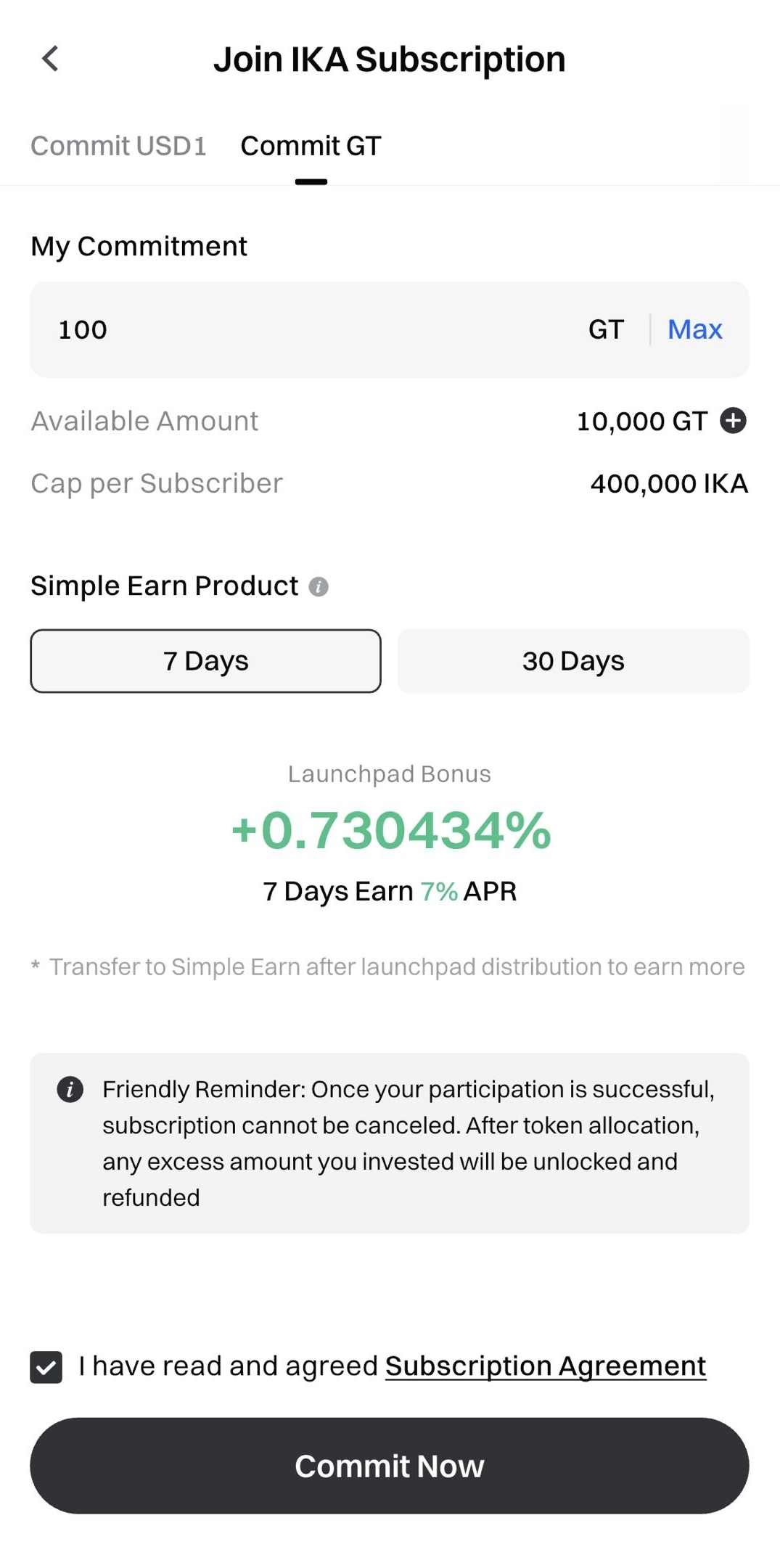
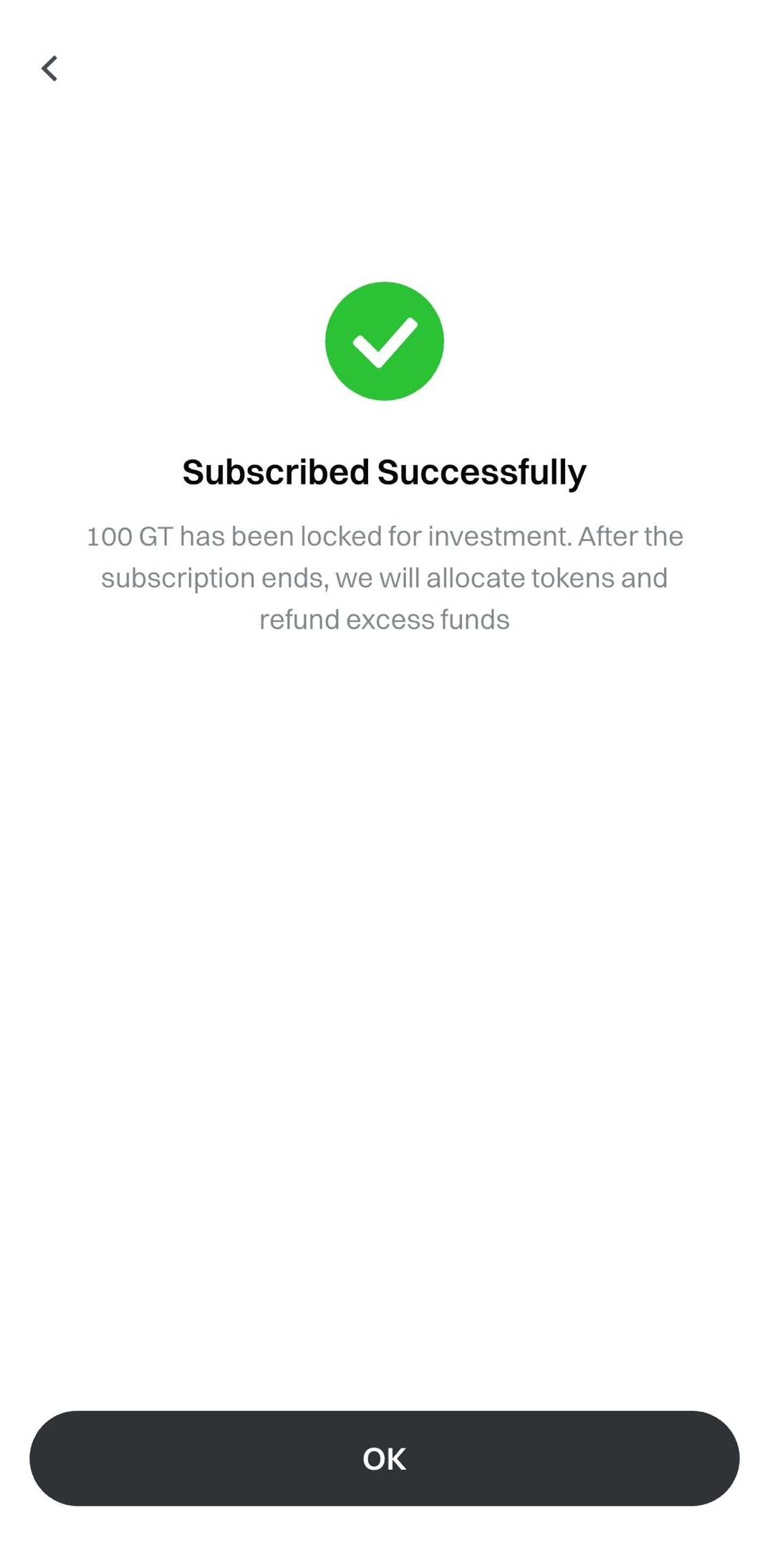
Enter the amount you want to contribute and confirm your
subscription -
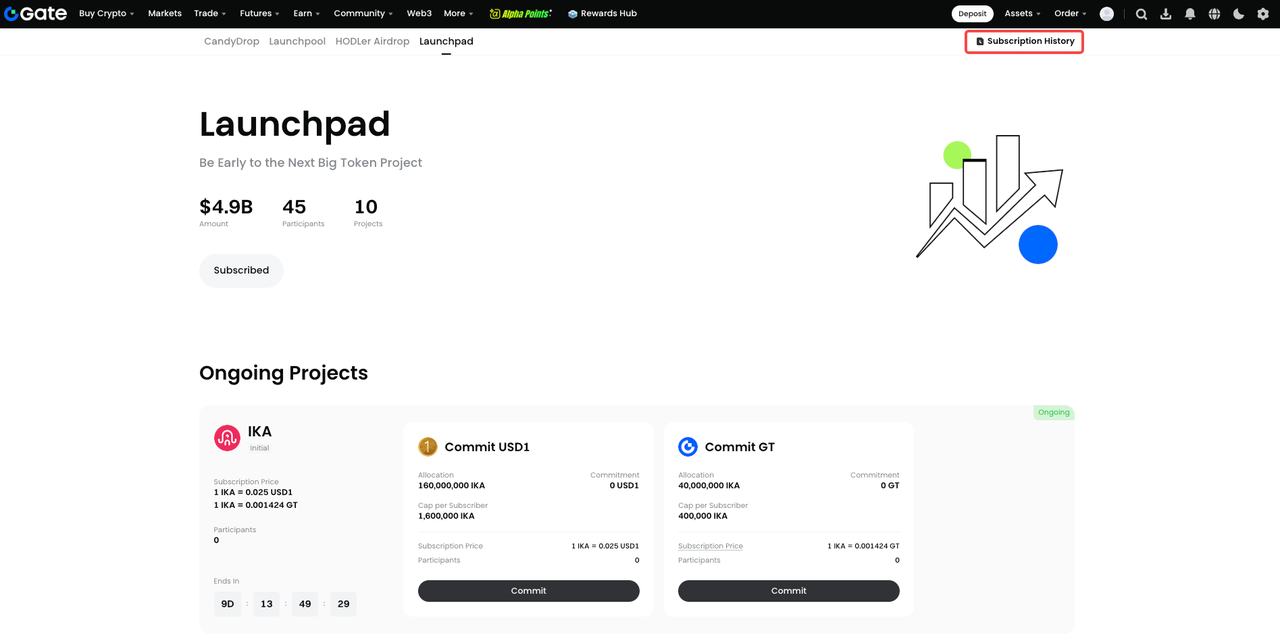
View your subscription history under [Subscription History]
【Web】
App
Disclaimer
The content provided herein is for reference and educational purposes only and does not constitute any financial, investment, trading, or legal advice, nor does it constitute an offer or solicitation to buy or sell any digital assets. Gate makes no express or implied representations or warranties regarding the accuracy, completeness, or timeliness of the information contained herein. Product features, interfaces, rules, and fee structures may be updated or adjusted at any time. Please refer to the latest announcements and the actual information displayed on the Gate platform for the most accurate details.Digital asset investments involve significant risk, and prices may fluctuate substantially. You may lose the entire amount of your investment. Please make decisions cautiously based on your own financial situation and risk tolerance after fully understanding the associated risks. If necessary, you are advised to consult an independent professional financial or legal advisor.
For more information about potential risks, please refer to Gate's Risk Disclosure and User Agreement.
